Jarvis AI — Full Source Code
Take commanding control of your PC workflow. Activated via global hotkey Ctrl + Space, Jarvis indexes your hard drive, writes and tests shell scripts, automates browser data scraping, and bridges local LLMs (Ollama) into your editor.
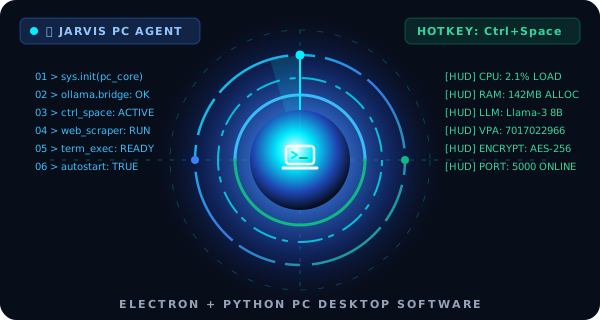
Desktop Environment Specifications
Core Engineering Stack:
What You Receive with Jarvis AI Source Code
Complete Electron & Node.js Project
Production Electron desktop architecture with translucent glass HUD, system tray integration, and native IPC bridges.
Local Ollama & Cloud LLM Core
Zero-cloud-cost inference pipeline connecting to local LLMs via Ollama, plus extensible hooks for OpenAI, Claude, and Gemini.
Python Automation & Terminal Runner
Autonomous terminal execution scripts, desktop PyAutoGUI clickers, web scrapers, and filesystem search indexers.
Developer Documentation & Setup
Step-by-step developer guide to package .exe for Windows, .dmg for macOS, and configure custom system triggers.
Frequently Asked Questions — Jarvis AI
Q: Do I get the complete Jarvis AI source code?
Yes! Upon payment confirmation, you receive immediate download access to the complete source package zip (Electron frontend, Python automation engines, and package build configurations).
Q: Does it require paid third-party API subscriptions?
No. Jarvis is built with a local LLM bridge to Ollama (Llama 3, Mistral, DeepSeek), allowing 100% private, offline execution without monthly subscription costs.
Q: Can I build installers for Windows and macOS?
Yes. The project includes cross-platform electron-builder scripts configured to produce Windows .exe installers and macOS .dmg packages.
Changelog & Release History
Direct Ollama local model bridge; native Windows 11 Fluent dark glass UI.
Architectural overhaul: Multi-threaded voice agent and desktop vision preview.
Added automated browser scraping and macro recording engine.